Readable material from every seat
The smallest text in a real teaching document is a better starting point than a screen diagonal alone. Assess viewing distance, sightlines and room light against the content.
Industry solutions · Edinburgh & Scotland
Presentation, interactive displays, speech and hybrid-session systems for classrooms, lecture spaces and professional training rooms.
Discuss your venue ›Start with the working day
Teaching spaces vary from a small collaborative room to a larger lecture layout. We define how the tutor presents, what learners need to see and hear, and whether remote participants or recordings are part of the session.
The smallest text in a real teaching document is a better starting point than a screen diagonal alone. Assess viewing distance, sightlines and room light against the content.
A tutor may need a hands-free microphone, interactive screen or presenter camera. The system should support movement and demonstrations without losing the speech or picture.
Agree what happens when a new tutor connects, changes sources or finishes a lesson. A consistent operating routine and clear support information help shared rooms remain usable.
An illustrative room & zone plan
Use this as a starting point for a site discussion. It is an example planning schedule, not a completed project or a prescribed equipment package.
| Area | System requirement | How it is operated |
|---|---|---|
| Teaching position | Laptop connection, annotation or presentation controls. | A repeatable session-start routine. |
| Learner seating | Visible content and intelligible speech. | Appropriate display and sound settings. |
| Group-work area | Interactive content where required. | Clear sharing and input selection. |
| Remote session path | Camera and speech capture if in scope. | Defined recording or conferencing permissions. |
Equipment in context
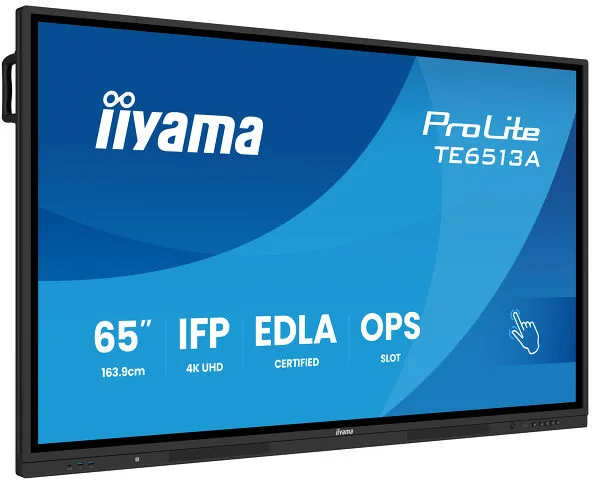
Interactive teaching
iiyama TE6513A-B3AG can be considered for annotation and collaborative work where the display position suits the room.
Explore this system ›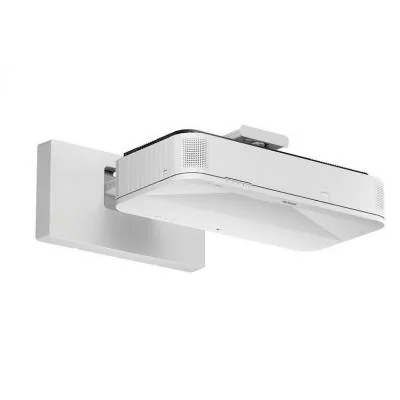
Large ultra-short-throw image
Epson EB-810E provides a projection option where close-to-wall positioning and a suitable projection surface fit the teaching layout.
Explore this system ›
Spoken presentation
SpeechLine bodypack or handheld options can support a tutor, with microphone choice, coverage and charging matched to room use.
Explore this system ›Examples from our service ranges, not a fixed package. Final products, quantities and any software or accessories are specified after the site requirements are established.
Survey, installation & handover
We coordinate installation with timetables, estates and IT teams. Mounting height, reach to controls, safe cable routes and access for servicing should reflect the room’s users. Any safeguarding, recording or account policies are agreed with the organisation; the AV equipment does not establish those policies on its own.
At handover, the agreed operating tasks are demonstrated with the venue’s actual sources and controls. We discuss the documentation and support arrangements needed to keep those tasks manageable after installation.
Our installation process ›Your questions
We compare the content, viewing distances, available wall area, light and need for touch interaction. Different teaching spaces may benefit from different approaches.
Yes, with a specified camera, microphone and conferencing workflow. A presentation display alone does not provide the full remote-learning path.
We define supported devices and connection methods, then test typical workflows. Network policy and any software requirements are agreed before rollout.
Let’s plan your installation
Tell us about your space, your priorities and what needs to work better.