AV Installation · Edinburgh & Scotland

HDMI matrix systems, built around your screens.

Blustream HDMI matrices for independent source routing, from a compact two-screen system to a multi-display venue.

Discuss your project

Blustream HDMI routing

Let each screen choose its source.

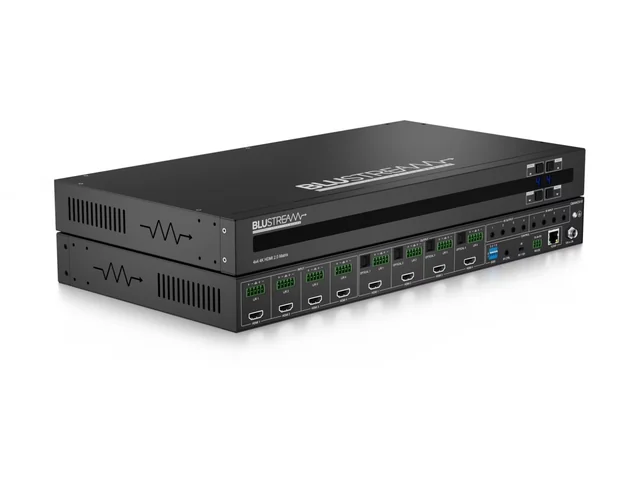
Blustream CMX44CS-V2 product front and rear views

Featured: CMX44CS-V2

Four sources. Four independent outputs.

Route a presentation, signage player or other HDMI source to the displays that need it. A matrix supports different selections on different screens, rather than forcing every display to repeat one feed.

  • 4×4 HDMI 2.0 matrix
  • Up to 4K60 4:4:4
  • Audio breakout and EDID management
Discuss your source and screen layout ›

Product examples

Choose the connections your site needs.

CMX42CS

4 × 2

Four inputs · two outputs

For a compact venue or presentation system where two screens need independent source choices.

HDMI 2.0 · up to 4K60 4:4:4

Manufacturer details ›

CMX44CS-V2

4 × 4

Four inputs · four outputs

A starting point for several screens sharing a bank of sources, with output down-conversion and audio breakout.

HDMI 2.0 · 18 Gbps · HDCP 2.2

Manufacturer details ›

CMX88CS-V2

8 × 8

Eight inputs · eight outputs

For a larger source bank and more display destinations. We count the current connections and consider spare capacity.

8×8 4K HDMI 2.0 matrix

Manufacturer details ›

MX22AB-8K

2 × 2

Two inputs · two outputs

For a smaller system needing HDMI 2.1 formats, with analogue and optical audio breakout.

Up to 8K60 4:2:0 10-bit or 4K120 4:4:4 10-bit

Manufacturer details ›

Examples from Blustream’s HDMI matrix range. Input count, output count and supported formats are separate selection criteria. Final specification and availability are confirmed for your project.

System design

Plan the complete signal path.

Sources and destinations

List every source and display, then agree which combinations staff need. Four inputs and two outputs is a different requirement from two inputs and four outputs.

Formats and compatibility

Check resolution, frame rate, HDR, HDCP, EDID and audio requirements across sources, matrix, cabling and displays. An 8K model does not make every attached device 8K-capable.

Distance and operation

For longer routes, consider the appropriate extension system. Agree labelled controls, routing presets and handover instructions alongside the hardware.

Common questions

Make the routing requirement clear.

How is a matrix different from a splitter or switch?

A splitter repeats one source across outputs. A switch selects a source for a destination. A matrix combines multiple inputs and outputs with independent routing.

Will every output show 4K or 8K?

Only where the selected model, source, connection and display support the required format. Scaling and colour-format limits are checked model by model.

Is a matrix the same as a video-wall processor?

No. Choosing which source reaches which screen is different from arranging an image across a video wall. We specify processing where the application needs it.

Do the HDMI outputs include long-distance extension?

These examples use HDMI outputs. Any HDBaseT, fibre or other extension is designed and specified separately for the actual cable routes.

Related systems

Connect the rest of the installation.

Let’s plan your installation

A better AV system starts
with a conversation.

Tell us about your space, your priorities and what needs to work better.

Discuss your project ›0131 556 1300